









Travel eSIMs you may like:

A no-stress guide to getting around Melbourne, surviving the crowds, and staying online all race weekend.
TLDR;
The Australian Grand Prix runs 6–8 March 2026 at Albert Park in Melbourne. Expect big crowds, busy transport, and mobile networks working overtime near the circuit. If you’re in town for 3–4 days, most people use around 3–5 GB for maps, transport apps, tickets, messaging, and posting photos/videos. Public Wi-Fi can be patchy around peak times, so it’s smart to sort your connection ahead of time with either a local SIM or a travel eSIM.
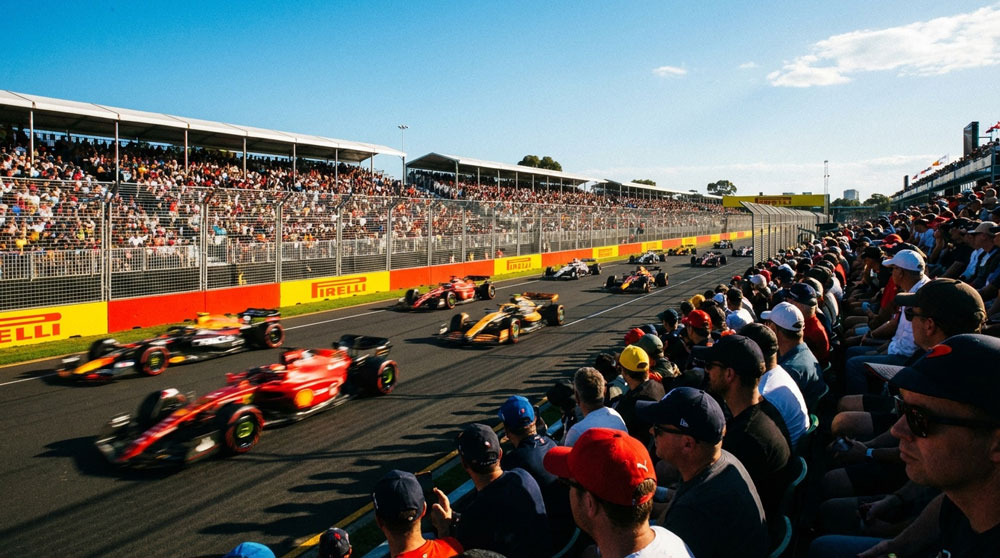
Australian Grand Prix 2026: The basics
The Melbourne race kicks off the 2026 Formula 1 season, and it’s one of the most popular weekends on the calendar. That means the city feels normal-ish midweek… then turns into a moving crowd as soon as Friday hits.
Key details
- Circuit: Albert Park Grand Prix Circuit
- City: Melbourne, Australia
- Dates: 6–8 March 2026
- Track style: Temporary street circuit wrapped around a public park
Because it’s so close to the CBD, it pulls in international travellers and huge local crowds. Translation: everything works, but everything is busier.
Getting to Albert Park (and moving around Melbourne)
Melbourne’s public transport is genuinely decent, but race weekend is like turning the difficulty up a few levels.
1) Trams (the classic move)
If Melbourne had a mascot, it would be a tram. And during GP weekend, it’s the default option for most fans.
- Multiple tram routes run near Albert Park
- Extra services usually operate on race days
- The crush happens right before sessions and right after they finish
If you want a smoother ride, aim to arrive early and leave either a bit before the end or after the crowds thin.
2) Trains + a short walk
This is a good plan if you’re staying near the city or coming in from further out.
- Flinders Street and Southern Cross are the major hubs
- You’ll likely combine a train ride with a tram transfer or a walk
It’s straightforward, but you’ll be shoulder-to-shoulder during peak times.
3) Ride-hailing
Handy when you’re far from tram lines or moving late, but the pricing can get spicy.
- Great outside peak times
- Surge pricing is common after popular sessions
Mobile data helps a lot here, because routes, pick-up points, and crowd-control changes can shift quickly.
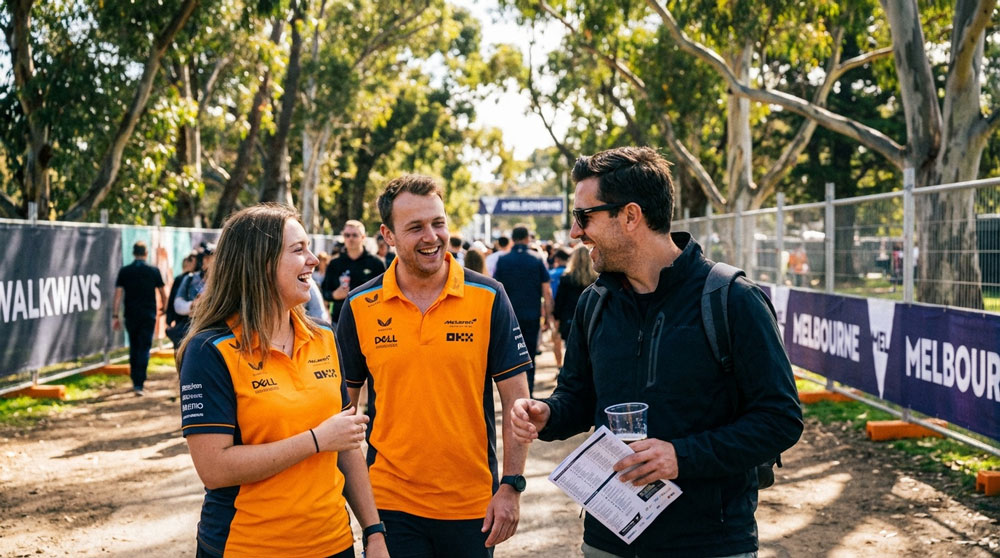
Mobile data during GP weekend: what it’s really like
On race days, network demand spikes in:
- Albert Park and nearby suburbs
- The Melbourne CBD before and after sessions
- The transport corridors leading away from the circuit
What you’ll notice:
- Uploads can slow down during peak crush times
- Wi-Fi (when available) can struggle during session changeovers
- Anything time-sensitive like tickets, maps, payments, meetups is risky if you’re relying on Wi-Fi alone
If you’re the person who ends up holding everyone’s tickets, do yourself a favour and have your own data sorted.
How much data do you need for the Australian GP?
For a typical 3–4 day race weekend, 3–5 GB covers most people comfortably.
Here’s what your data actually gets used for:
- Maps + navigation (especially walking routes around Albert Park)
- Public transport apps + live updates
- Ride-hailing and pick-up coordination
- Messaging your group when someone disappears into a crowd
- Photos + short videos for social
Typical usage guide
- Light use: 1–2 GB
- Average weekend: 3–5 GB
- Heavy use: 5–7 GB (lots of uploads, reels, streaming, constant hotspotting)
Best move: give yourself a small buffer. Buying an enormous plan “just in case” is usually unnecessary unless you’re planning to upload heaps of video or work remotely.
SIM vs eSIM in Australia: which is easier?
You’ve got two main options as a visitor. Both work - it’s just about convenience.
Option A: Travel eSIM (the easy button)
A travel eSIM lets you connect to Australian networks without hunting for a SIM card or swapping anything. It’s popular for short trips because it keeps the whole process simple.
Why people choose it for race weekends:
- You can set it up before you arrive
- No physical SIM swapping
- Great for short stays
- Easy to top up if you extend your trip
If you’re the kind of traveller who likes everything sorted before the plane even lands, this is the smoothest route.
Option B: Local physical SIM
Physical SIMs are widely available in Australia, including:
- Airports
- Convenience stores
- Major telco shops
Big local providers include Telstra, Optus, and Vodafone. This option is solid if you prefer a physical SIM or you’re staying longer and want a more traditional setup.
What to do in Melbourne when you’re not at the track
Melbourne is great at giving you distractions between sessions. A few easy wins:
- Queen Victoria Market – snacks, coffee, and local chaos (the good kind)
- CBD laneways – cafes, bars, street art, wandering with purpose
- Melbourne Cricket Ground (MCG) – tours and sports history
Most of it is tram-friendly, which is exactly why having mobile data helps. You can be spontaneous without getting stranded.
Practical tips for GP weekend
- Expect serious crowding before and after sessions
- Download transport and ticketing apps ahead of time
- Charge your phone like it’s part of your outfit
- Sort your mobile data before arrival if possible
- Plan for 3–5 GB for a normal weekend (more if you’re posting nonstop)
Race weekend is way more fun when you’re not standing on a footpath trying to load a map while your group slowly vanishes into a sea of team merch.
Travel eSIMs you may like:


Written by Andy Linton
Co-founder of ZenSim, loves a bit of Star Wars.
Andy has been in the telecommunications industry for the better part of 20 years. Somewhat of a super-nerd, Andy is the co-founder of ZenSim and the maestro behind the systems we use to provide our services.
Let's connect on LinkedIn 👉


Get amongst it
Join the community
We will reach out when we launch new products, about our sustainability projects, specials, new innovations or maybe even cool sh*t we think is inbox worthy.


