









Travel eSIMs you may like:

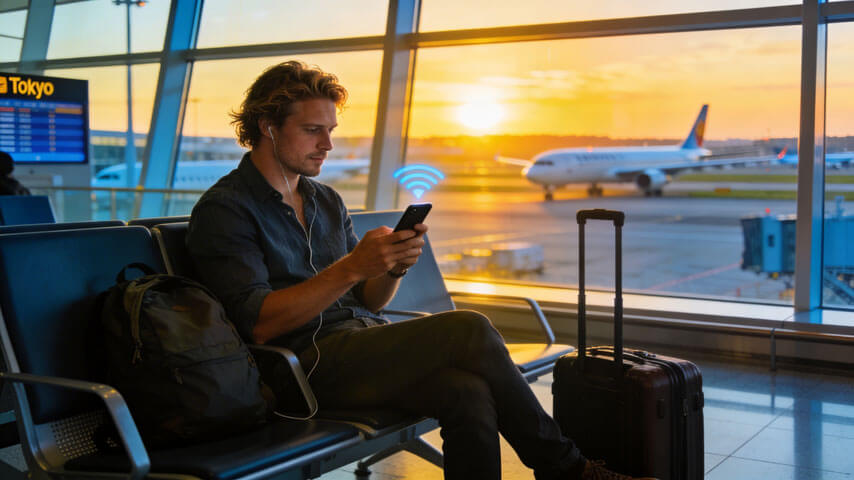
You’ve just touched down in Tokyo, and you’re keen to get online ASAP. Whether it’s for booking a Go Taxi, finding your Airbnb, or updating Instagram, a reliable internet connection is essential from the get-go.
You could wander between over-priced airport kiosks, busting out your broken Year 10 Japanese to negotiate a local data plan. Or, you could do things the easy way – hop on the airport WiFi and book yourself a Japan travel eSIM.
Whether you’ve landed at Haneda or Narita, we’re covering how to organise an eSIM at the airport in Tokyo.
Understanding eSIMs
An eSIM downloads mobile service provider details directly to your device – no need to swap tiny plastic SIM cards.
Installing an eSIM usually means downloading an app or scanning a QR code. From start to finish, the entire setup process typically takes under 15 minutes. Your new eSIM activates instantly, so you can hit the ground running at Tokyo Airport.
Most modern phones support multiple SIMs, letting you access your Aussie plan throughout the trip (crucial for 2FA). Because no physical SIM card is required, you won’t risk losing your precious data on the airport floor. Plus, there’s no stuffing around with those irritating, hard-to-open SIM card trays.
The Benefits of Using an eSIM for Japan
The main eSIM advantage is convenience. To get a physical SIM, you’d first have to queue up at an airport kiosk and negotiate the language barrier to find a suitable plan. Next, you’d hand over your passport, then wait for the vendor to manually activate the plan.
The whole ordeal can feel like a big stuff around when you’re jetlagged after a long-haul flight. Anything sold at the airport won’t be cheap anyway, especially not in Tokyo.
The cheapest travel eSIMs for Japan, however, are super affordable. An eSIM lets you skip the queue and get set up online in minutes. No disclosing sensitive personal information or struggling to communicate in sign language. You get instant internet access the moment you arrive at your destination.
As no plastic, microchips, or packaging is required, the eSIM is more environmentally friendly than a regular SIM. Plus, you can switch between plans and providers without swapping out cards.
Well-organised travellers who’ve purchased an eSIM before arrival will find them even more convenient. Your plan lies dormant until you land in Japan and switch off aeroplane mode. At that moment, the eSIM automatically activates, and you can start scrolling.
Power users will find that the best unlimited data eSIMs for Japan offer exceptional value.
Where to Buy an eSIM in Narita International Airport
Narita primarily serves international flights. If you’ve just arrived in Japan, there’s a good chance you’ve landed here.
To get an eSIM at Narita International Airport (NRT), you first need WiFi. Thankfully, free WiFi is available throughout the airport, including the arrival halls at all three terminals. Find the FreeWiFi-NARITA SSID and agree to the terms to get connected.
From there, install your preferred Japan travel eSIM plan.
Where to Find a SIM Card at Narita International Airport
If you’re keen to keep things old school, you’ll find various places selling physical local SIM plans:
- JAL ABC counters (1F arrivals, Terminal 1 & 2)
- Narita / JR EAST Travel Center (Terminal 1 & 2)
- AnyFone vending machine (1F central building, Terminal 1 & 2)
- Softbank Global Rental Counter (Terminals 1 & 2)
- NINJA WiFi Counters kiosk (Terminal 2 arrival lobby)
- Air Bic Camera (4F, Main building, Terminal 2)
- 7-Eleven and Lawson convenience stores
Where to Buy an eSIM in Haneda International Airport
Formerly Tokyo’s domestic airport, Haneda is now a major international hub. It’s much closer to the city centre than Narita, making it the preferred option when available.
Free WiFi is available across all terminals. Look for the HANEDA-FREE-WIFI SSID and follow the prompts to download your eSIM.
Where to Find a SIM Card at Haneda Airport
- JAL ABC Counters (2F arrival hall, Terminal 3)
- Vending machines (near arrival gates, Terminal 3)
- BIC Camera (3F Terminal 3)
- Mobile Center (Terminal 1 & 2)
- 7-Eleven and Lawson convenience stores

Choosing an eSIM Plan for Japan
Keen to compare providers? See our comprehensive guide to the best travel eSIMs for Japan.
ZenSim
- 10GB / 30 days – A$26 ($17 USD)
- 20GB / 30 days – A$38 ($24 USD)
- Unlimited / 30 days – A$105 ($66 USD)
- See ZenSim website
Ubigi
- 10GB / 30 days – A$28 ($17 USD)
- 20GB / 30 days – A$51 ($32 USD)
- Unlimited / 30 days – A$106 ($66 USD)
- See Ubigi website
Holafly
- Unlimited / 30 days – A$117 ($74.90 USD)
- See Holafly website
Airalo
- 10GB / 30 days – A$27.50 ($18 USD)
- 20GB / 30 days – A$38.50 ($25 USD)
- Unlimited / 30 days – A$113 ($74 USD)
- See Airalo website
Saily
- 10GB / 30 days – A$27.50 ($18 USD)
- 20GB / 30 days – A$38.50 ($25 USD)
- Unlimited / 30 days – A$113 ($74 USD)
- See Saily website
Why Choose ZenSim for Your Japan Travel eSIM
- Simple install – scan a QR code and install in under 5 minutes
- Responsive support – fast help via WhatsApp
- Quality networks – Rakuten & KDDI coverage
- Flexible top-ups – manage plans in the app
- Unlimited hotspotting – tether freely
- No hidden fees – transparent fair-use policy
ZenSim has an industry-leading 4.9 rating on ProductReview.
Final Thoughts on Buying an eSIM at Tokyo Airport
Skip pricey roaming fees and the hassle of plastic SIMs. A Japan travel eSIM is the easiest way to stay connected from the moment you land.
If you’re travelling beyond Japan, consider a regional Asia eSIM instead.
ZenSim Travel eSIM FAQs
When will my Japan eSIM start working?
If pre-installed, it activates automatically when you arrive in Japan.
Does the Japan eSIM support phone calls?
No. Plans are data-only.
Can I top up data?
Yes. You can top up, extend validity, or add countries via the app.
Travel eSIMs you may like:


Written by Josh Warner
Co-founder of ZenSim, full-time banana bread lover.
Josh has been an engineer for the past 12+ years and in the telecommunications industry for the past six. A self proclaimed developer, designer, copywriter and occasional gym goer, if you have used a ZenSim website or app, it's likely Josh was the one who designed & built it.
Let's connect on LinkedIn 👉


Get amongst it
Join the community
We will reach out when we launch new products, about our sustainability projects, specials, new innovations or maybe even cool sh*t we think is inbox worthy.


