









A Real Travel Hack: Using Your Aussie Number Overseas
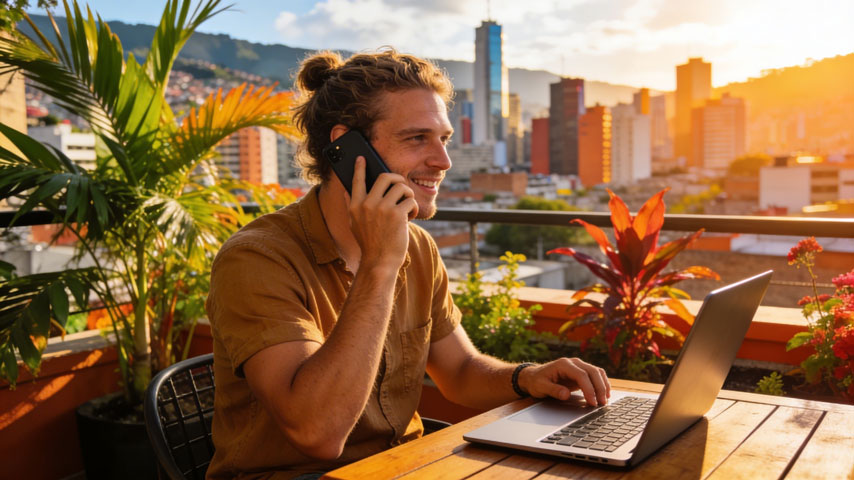
A mate of mine accidentally discovered one of the best travel connectivity hacks I’ve seen. He was travelling through Latin America for a few months, bouncing between different countries - lucky for some. Meanwhile his job was still back in Australia and he needed to occasionally jump on calls with colleagues and clients. Normally that would mean paying painful roaming fees, juggling different apps and numbers, or simply being unreachable. Instead, he turned on WiFi calling with his Aussie SIM and just… kept using his phone like normal.
Whenever he was connected to WiFi - a hotel, coworking space, or even the occasional café - his phone rang exactly the same way it would back home. He could dial Australian numbers from his contacts, receive work calls, and handle the odd unexpected call without thinking twice. The funny part was when people asked where he was calling from. Most assumed Sydney or Melbourne. When he told them Colombia or Mexico, the reaction was usually confusion followed by jealousy.
What is WiFi Calling?
Wanna know more? Well, WiFi calling is one of those features that sounds technical but is actually pretty simple. It lets your phone make and receive calls using a WiFi internet connection instead of relying on a nearby mobile tower. The important part is that it still uses your normal phone number and your regular dialler, so from the users perspective nothing really changes.
For travellers this can be surprisingly useful. When you’re overseas and connected to WiFi, your phone can route calls through your Australian carrier over the internet. That means you can still answer calls from home or dial Australian numbers without activating roaming. In most cases there’s no extra cost either because the call is treated the same way as if you were making it in Australia.
WiFi Calling Explained in Simple Terms
Normally your phone connects calls through a mobile tower. With WiFi calling it connects through a WiFi network instead. The call still goes through your mobile provider, which means everything behaves like a regular phone call.
From your side it’s seamless. You open your phone app, tap a contact, and the call connects. The person you’re speaking to doesn’t need any special app either. Their phone rings like usual and they simply see your normal number.
WiFi Calling vs WhatsApp or FaceTime
People often assume WiFi calling is the same as using apps like WhatsApp, FaceTime, Messenger or Skype. Those apps are great and they work almost anywhere, but they rely on both people using the same app.
WiFi calling works differently. Because it uses your normal phone number and dialler, you can call any regular phone number and anyone can call you. Your bank can reach you, your airline can call you back, and even your grandma with her old school phone can ring you without needing to download anything.
How WiFi Calling Works When Travelling Overseas
When you’re overseas your Australian number normally only works if you turn on roaming. WiFi calling creates another option. If your phone connects to a WiFi network, it can route calls through the internet back to your Australian carrier instead of using a mobile tower.
From your side it feels completely normal. Your phone rings, you answer it, and the person calling sees your usual Australian number. The only difference is the path the call takes behind the scenes. As long as you're connected to WiFi, you can still receive calls or dial Australian numbers without relying on roaming.
You Must Have Your Australian SIM Installed
WiFi calling works through your Australian mobile provider, which means your Aussie SIM still needs to be active in your phone. WiFi simply provides the connection that allows your phone to reach your carrier from overseas.
Most modern phones make this easy because they support dual SIM or eSIM. That means you can leave your Australian SIM active for calls while using a travel eSIM for mobile data during the day.
One thing to watch though is how your provider treats your SIM overseas. Most providers allow this without charging anything, but some carriers - Telstra for example - may charge simply for leaving your number active abroad. ZenSim does not charge for this, but it’s always worth checking with your provider before travelling if you plan to leave your Aussie SIM on.

Who Can Use WiFi Calling?
Most newer smartphones support WiFi calling, so the first step is simply checking whether the feature exists in your phone’s settings.
The second requirement is your mobile provider. Your carrier needs to allow WiFi calling for your SIM. ZenSim supports it, and major Australian networks like Optus and Vodafone offer it on compatible devices as well. Some smaller providers support it too, if you’re unsure, a quick check with your provider before travelling will confirm whether your plan allows WiFi calling.
Why This Matters for Travellers
For travellers this feature can save both money and hassle. Instead of activating roaming just to keep your number reachable, WiFi calling allows calls to connect whenever you’re on WiFi.
Many travellers combine this with a travel eSIM. The travel eSIM handles maps, rideshares, and internet access while you’re out exploring, and your Australian SIM stays available for calls whenever you’re connected to WiFi.
Using WiFi Calling With a Travel eSIM (Dual SIM Setup)
A setup that’s becoming really popular with travellers is running two SIMs at the same time - your Australian SIM for calls and a travel eSIM for mobile data. The travel eSIM handles things like maps, ordering ubers, and browsing while you’re out exploring, and your Aussie SIM stays active so you can still receive calls through WiFi calling when you're connected to WiFi.
Most Australian providers allow you to leave your home SIM enabled overseas without charging roaming, as long as you’re not using it for mobile data. That said, a few carriers treat this differently. Telstra is known to charge simply for leaving the SIM active abroad in certain situations. ZenSim does not charge for this and most other providers don’t either, but it’s always worth checking with your carrier before travelling.
How Dual SIM Phones Make This Easy
Modern smartphones make this setup pretty straightforward. Most newer iPhones and Android devices support dual SIM or eSIM, which means two SIM profiles can run on the phone at the same time.
In practice this means your Australian SIM stays active for calls and SMS, while your travel eSIM becomes the phone’s data connection. As long as mobile data is assigned to the travel eSIM, your phone won’t accidentally start using your Australian SIM for data.
When WiFi Calling Will and Won't Work With This Setup
There are a couple of things that need to line up for WiFi calling to work overseas. Your phone needs to support WiFi calling, the feature needs to be enabled in your settings, and your mobile provider needs to offer it on your plan.
The other important detail is the connection itself. Even if your travel eSIM has mobile data, WiFi calling only works when your phone is connected to a WiFi network.
Advantages of WiFi Calling for Aussie Travellers
Stay Reachable on Your Australian Phone Number
WiFi calling is one of those features you don’t think about until you realise how useful it is. When you're overseas there are still situations where your Australian number matters. Maybe it’s your bank calling to verify a transaction, maybe a client needs to reach you, or maybe family are checking in.
With WiFi calling enabled your phone behaves like an Australian phone whenever you're connected to WiFi. You can answer calls normally without needing to explain that you're temporarily using another number.
Avoid Expensive Roaming Fees
Roaming can get expensive very quickly, especially if you only need to make or receive the occasional call back to Australia. WiFi calling gives you a simple workaround.
If you're connected to WiFi you can answer a call or dial an Australian number without activating roaming packs or paying international call rates. Many travellers pair this with a travel eSIM for mobile data during the day, then rely on WiFi calling whenever they’re back somewhere with a good WiFi connection.
How Much Does WiFi Calling Cost?
In most cases WiFi calling doesn’t cost anything extra. Calls made through WiFi calling are usually treated exactly the same as calls made at home and simply come out of your normal monthly plan.
Where travellers sometimes get caught out is how their provider treats their SIM while overseas. Some carriers charge simply for leaving your Australian number active abroad, even if you’re not using mobile data or making roaming calls. Telstra is known to do this and Optus may apply similar rules depending on the plan. Many smaller providers do not charge for this though, so if you’re with an MVNO like ZenSim there’s a good chance you’re fine.
Some Providers May Still Charge Roaming
This is where the fine print matters. WiFi calling itself normally doesn’t trigger roaming charges, but some providers still treat your SIM as roaming if it connects to an overseas network in the background.
Policies vary between carriers, so it’s worth checking how your provider handles overseas usage before travelling.
How to Turn On WiFi Calling Before You Travel
Before heading overseas it’s worth making sure WiFi calling is switched on and working. This is one of those settings that’s easy to overlook until you suddenly need it.
Turning it on ahead of time means you can test it while still in Australia and confirm everything is working.
How to Enable WiFi Calling on iPhone
Open Settings, tap Phone, then select Wi-Fi Calling. From there you can toggle on the option that allows calls to be made over WiFi.
Once enabled, your iPhone will automatically use WiFi calling whenever you're connected to a supported WiFi network.
How to Enable WiFi Calling on Android
On Android devices the steps vary slightly depending on the brand. Open Settings, go to Network and Internet or Connections, then look for Mobile Network or SIM settings.
Within that menu you should see an option for WiFi calling which can be turned on.
How to Check If Your Phone Supports WiFi Calling
The easiest place to check is in your phone’s settings. If you see WiFi calling listed in your call or network settings, your device likely supports it.
You can also check your provider’s website. Most carriers publish lists of supported devices and any requirements for WiFi calling to work.


Written by Andy Linton
Co-founder of ZenSim, loves a bit of Star Wars.
Andy has been in the telecommunications industry for the better part of 20 years. Somewhat of a super-nerd, Andy is the co-founder of ZenSim and the maestro behind the systems we use to provide our services.
Let's connect on LinkedIn 👉


Get amongst it
Join the community
We will reach out when we launch new products, about our sustainability projects, specials, new innovations or maybe even cool sh*t we think is inbox worthy.


