







Overview
Our eSIM Compatibility Checker is a great starting point, but no database is perfect - it may be missing newer models or recent updates.
There are also cases where a compatible phone still won't work with a Travel eSIM, such as carrier-locked devices or phones made for regions with eSIM restrictions (like mainland China). When in doubt, the most reliable check is directly on your device.
The Universal Shortcut (Works on Any Phone)
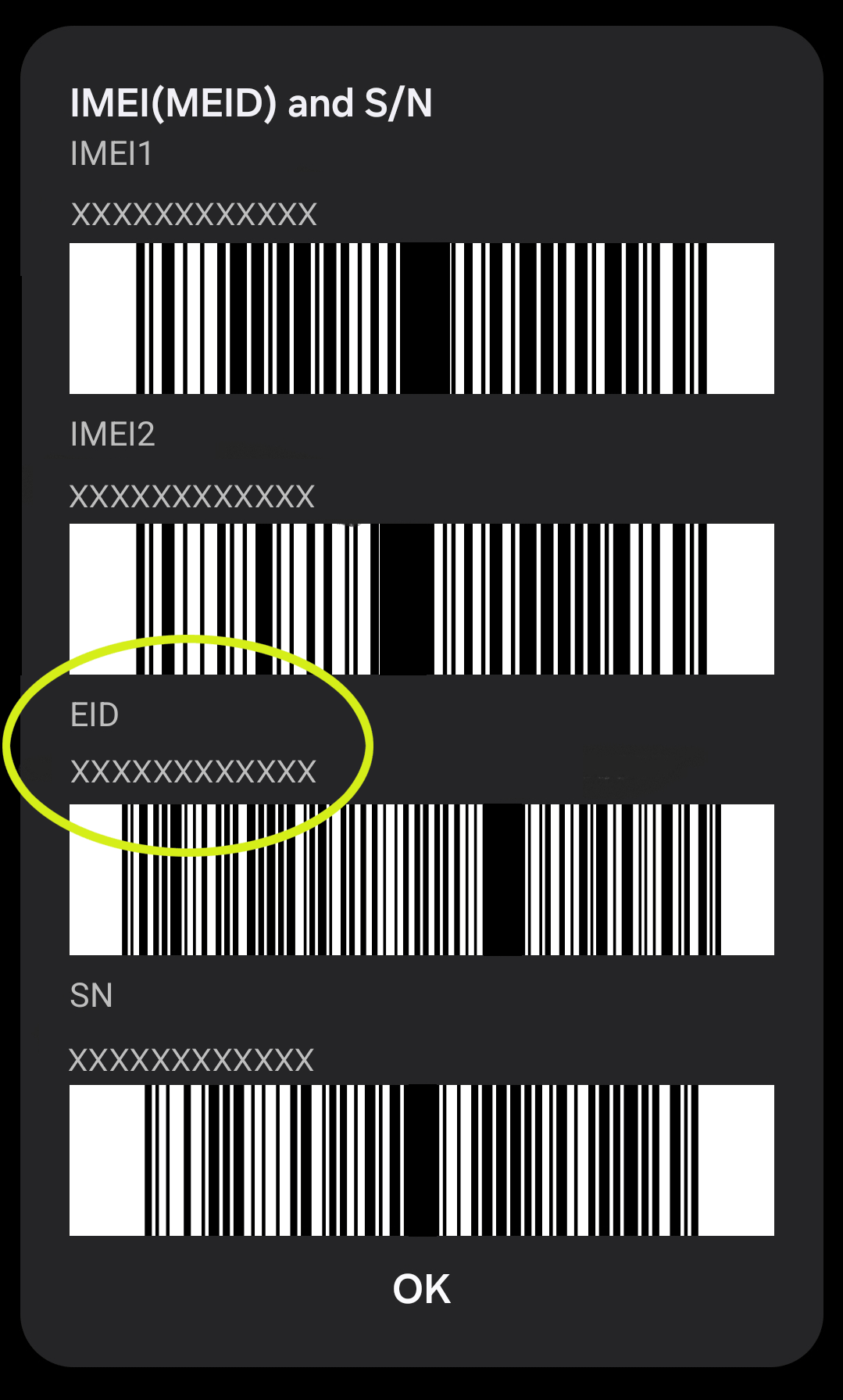
Before diving into brand-specific steps, there's one quick method that works across almost all smartphones. Open your phone app, go to the keypad, and dial *#06#. A screen will appear showing your IMEI number - if you also see an EID number (a 32-digit code), your phone has an embedded SIM chip and supports eSIM. No EID means no eSIM support.
Is Your Phone Carrier-Locked?
Even if your phone supports eSIM, it won't work with a Travel eSIM if it's carrier-locked.
This is common with phones bought on a contract or payment plan, especially in the USA. Unlocking is often possible but depends entirely on your carrier; sometimes it's a quick online request, other times a phone call, and occasionally they'll say no. If your phone is locked we recommend giving your carrier a call to ask if they can unlock it prior to purchasing your eSIM.
iPhone
Apple has supported eSIM since the iPhone XS, XS Max, and XR (2018). Every mainstream iPhone model since then is compatible, with the exception of certain regional variants (or carrier locked) variants.
To check via Settings:
- Open Settings
- Tap Mobile Data (or Cellular depending on your iOS version and region)
- Look for an Add eSIM or Add Cellular Plan option If that option is visible, you're good to go. You can also confirm by going to Settings > General > About and scrolling down to look for an EID field - if it's there, eSIM is supported.
Samsung
Samsung's eSIM support is solid across the Galaxy S20 series and newer, all Galaxy Z Flip and Z Fold models, and select Galaxy A series (notably the A54 5G and A55 5G). Budget A-series and entry-level models generally don't support eSIM.
To check via Settings:
- Open Settings
- Tap Connections
- Tap SIM Manager
- Look for an Add eSIM button If the "Add eSIM" button is present and not greyed out, you're compatible. If you can't find SIM Manager at all, try using the search bar at the top of the Settings app and typing "SIM". No Add eSIM option or can't find the SIM Manager? That means the device likely doesn't support eSIM.
Google Pixel
Good news if you're on a Pixel - Google has supported eSIM from the Pixel 3 onwards, and all Pixel phones from the Pixel 4 series forward support it globally, with the exception of certain regional variants and older Pixel 3/3a models.
To check via Settings:
- Open Settings
- Tap Network & Internet
- Tap SIMs
- Look for a + Add eSIM option If the Add eSIM option is visible, you're compatible.
Motorola
Motorola has been steadily expanding eSIM support across its range. The Razr foldable series, Edge 30/40 families, and many newer Moto G models support eSIM - though availability does vary by region and which variant you purchased (like 5G or not).
To check via Settings:
- Open Settings
- Tap Network & Internet
- Tap SIMs & mobile network
- Look for a + Add eSIM option If Add eSIM is visible, you're compatible. The path can vary slightly between Motorola software versions, so if you can't find it try searching "eSIM" in the Settings search bar.
Xiaomi
Xiaomi's eSIM support is more limited than the other brands on this list - it's generally available on flagship models from the Xiaomi 12T Pro onwards, but it's heavily dependent on both the specific model and the region the phone was purchased in. The same phone model can support eSIM in Europe but not in mainland China or Hong Kong.
To check via Settings:
- Open Settings
- Tap Mobile Networks
- Tap Manage eSIM
- Look for a + Add operator option If Add operator is visible, your phone supports eSIM and you should be fine, if you can't see Add Operator (or Add eSIM) or any other options then your phone is likely not eSIM compatible.
Still Not Sure?
If you've gone through the steps above and you're still not certain, feel free to reach out to our support team before purchasing. If you do reach out to us, dial *#06# and send us a screenshot of what you can see to speed up your request.
And remember - if you do buy a Travel eSIM and it turns out your phone isn't compatible, we offer a full refund with our flex refund policy so no stress.
Get amongst it
Join the community
We will reach out when we launch new products, about our sustainability projects, specials, new innovations or maybe even cool sh*t we think is inbox worthy.


